


Run your first workflow in minutes, no sales call


The regression nobody catches passes a busy review and ships. An off-by-one, a change that reads as sensible and quietly breaks something, gets a nod from a tired reviewer and lands in production, where it erodes trust one small defect at a time.
You can have an AI code reviewer running on your own repository in the time it takes to read this page. Get started without having to book a demo or contact sales. Simply sign up, connect a repository, open a pull request, and watch Upsun Dispatch™ review it automatically, flag bugs on the exact lines that changed, and explain why each one matters, before anyone on your team has had coffee.
This walkthrough takes you through that first run on a repository you already own. By the end, you will have a completed review you can point your team to.
Before you get started
You need:
- An Upsun Dispatch account.
- A GitHub account and a repository you can install an app on (admin access to that repo).
- An API key for Anthropic, OpenAI, or any third-party unified AI gateway.
Step 1. Sign up
Go to dispatch.upsun.com and sign in. If you already use Upsun Cloud, it’s the same account. If you are new, create an account. There is no waitlist and no call to schedule.
Step 2. Connect your repository
Upsun Dispatch installs as a GitHub app. Connecting it takes three short stages: install, review the permissions, and link your key.
1. Install the app
During onboarding, you grant Upsun Dispatch access to your code on GitHub.
- Choose either all repositories or just the one you want reviewed.
- Pick the repository you want to try this on.
2. Review the permissions
This is the part worth slowing down for, because it is the answer to the first question any security-minded teammate will ask. What Upsun Dispatch can and cannot do:
- It can read issues, read pull requests, and post review comments.
- It can’t merge, deploy, or read your sensitive information.
- A human always owns the decision to merge.
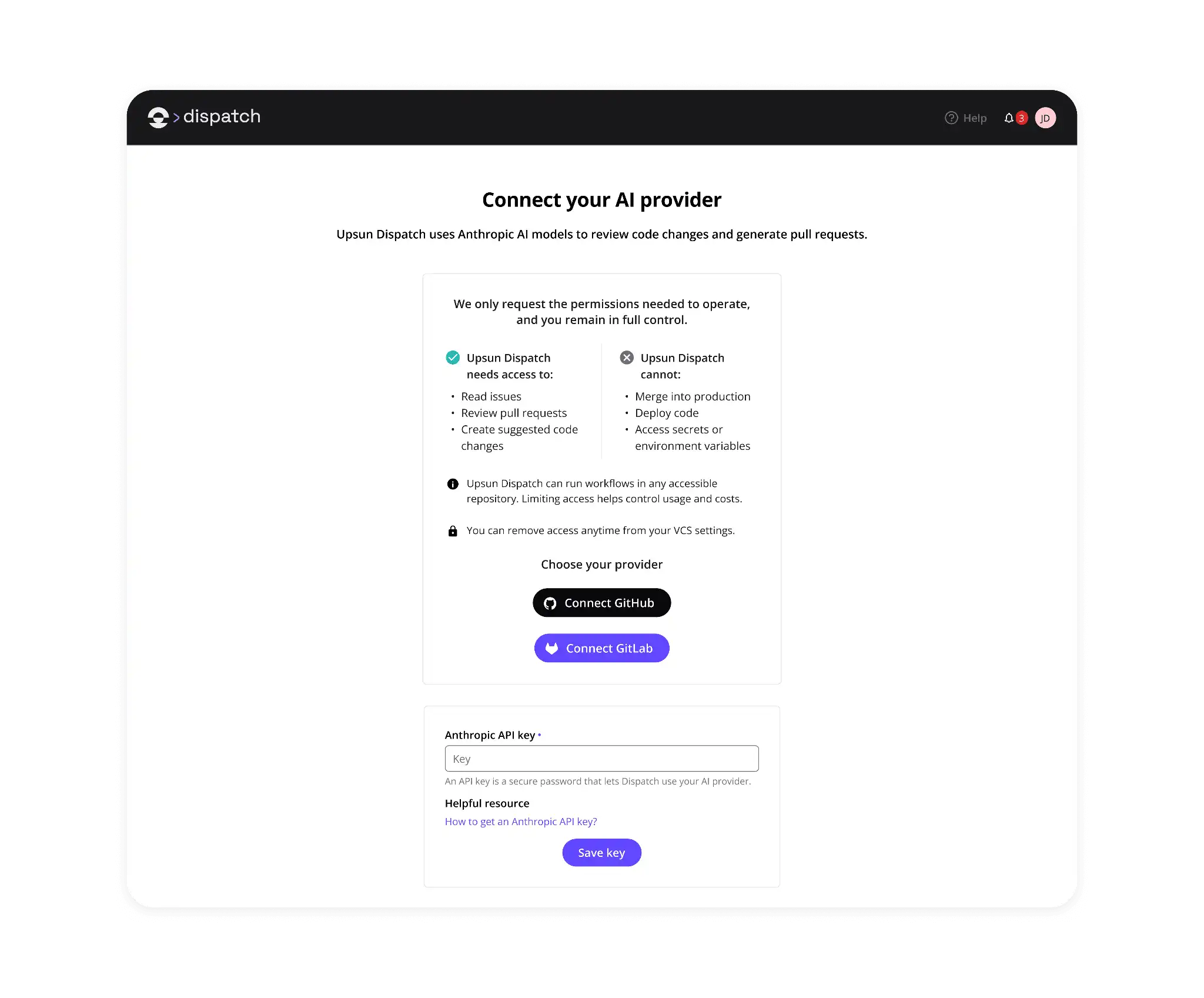

3. Link your key and finish
- Link the API key for the model provider you want to use, such as Anthropic or OpenAI. Upsun Dispatch is not tied to one vendor, so you bring the provider you already work with rather than adopting a new one
- Finish onboarding. You land on a confirmation that Upsun Dispatch is connected.
From this point on, every pull request against your repository triggers a review automatically.
Step 3. Open a pull request
Upsun Dispatch reviews every pull request instantaneously.
Step 4. Watch it work
Open your Upsun Dispatch dashboard to view a code review of the pull request.
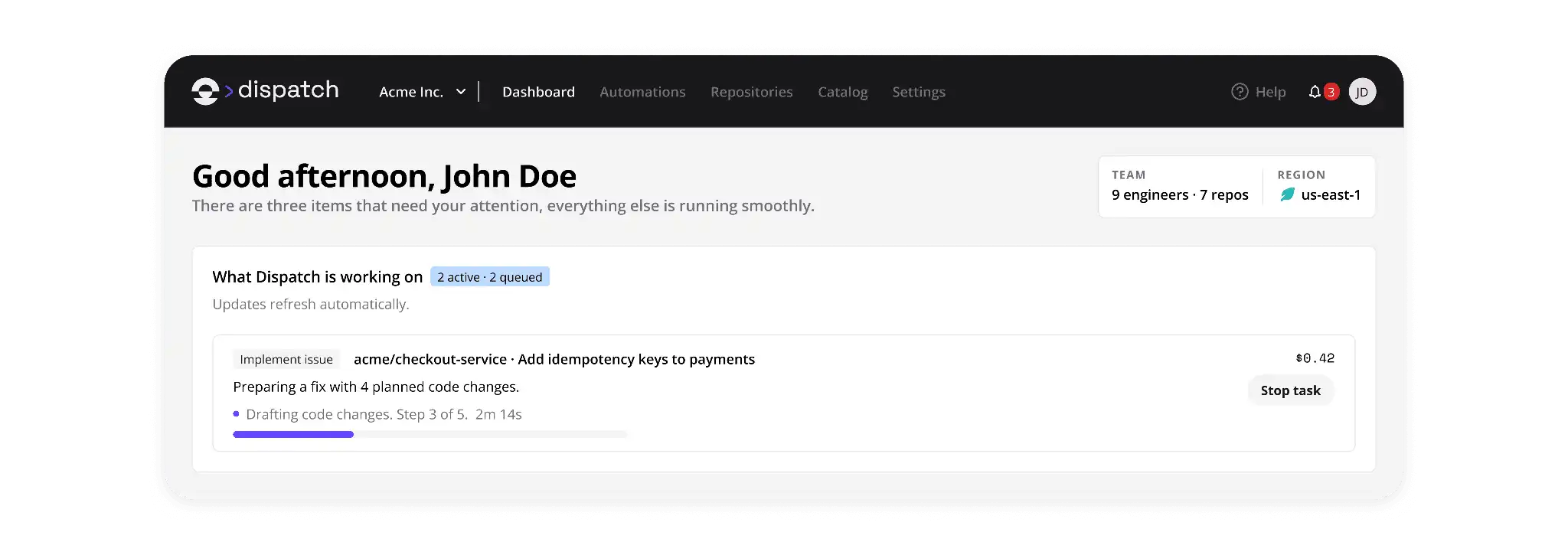

Click into the run to watch it review. The run timeline walks through the steps in order: it assesses the changes, posts a progress comment so the pull request author knows a review is coming, produces the review, and publishes it back to the pull request.
The context bundle shows you exactly which file it pulled in to reason about, so nothing about the review is a black box.
Step 5. Review findings
Here is where it pays off. Back on your pull request, Upsun Dispatch has already done the work: a review posted as an inline comment on the exact lines where a change or commit was made, plus a summary of what it found. No meeting, no ticket, no waiting on a free reviewer. It was there when the code was.
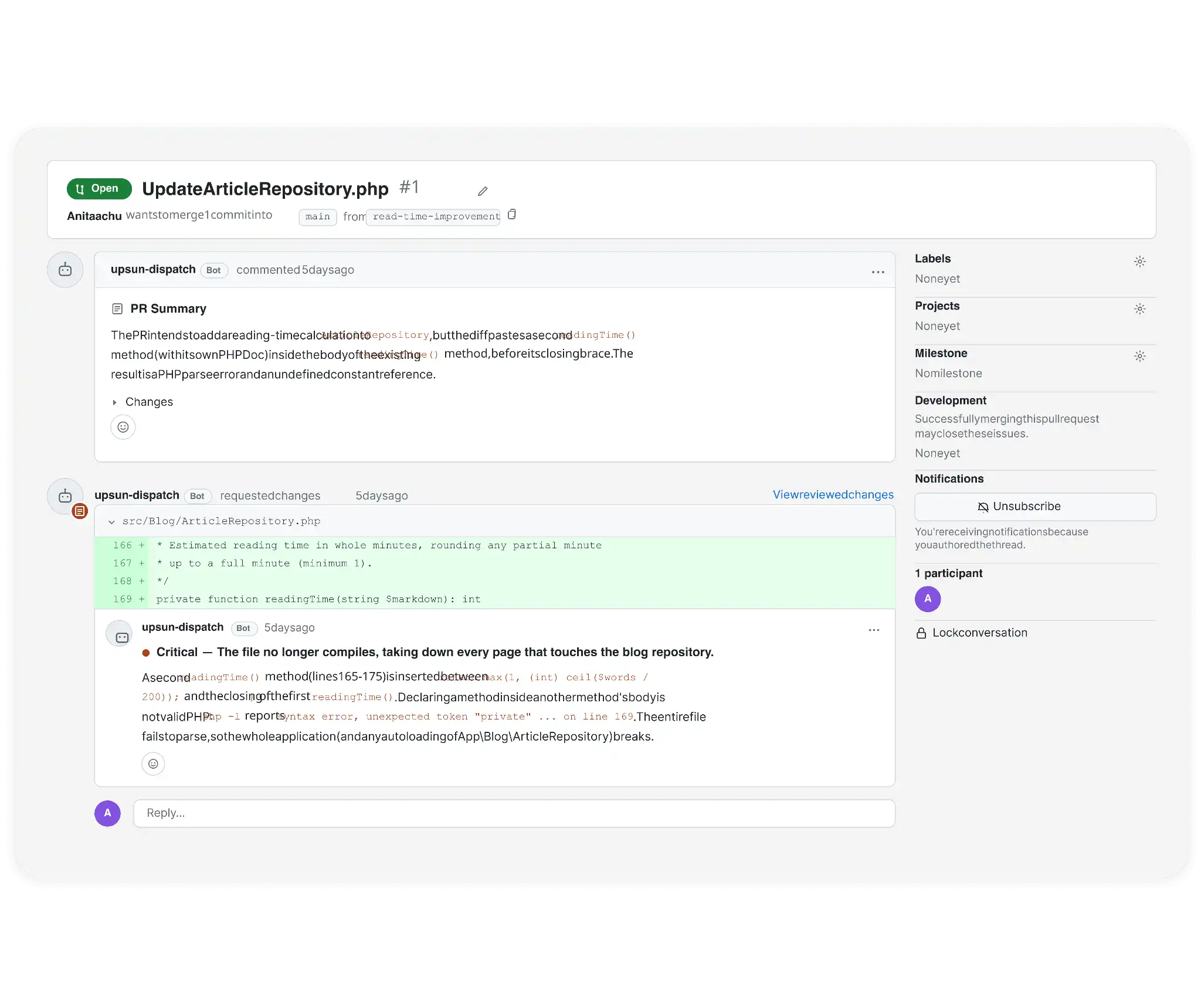

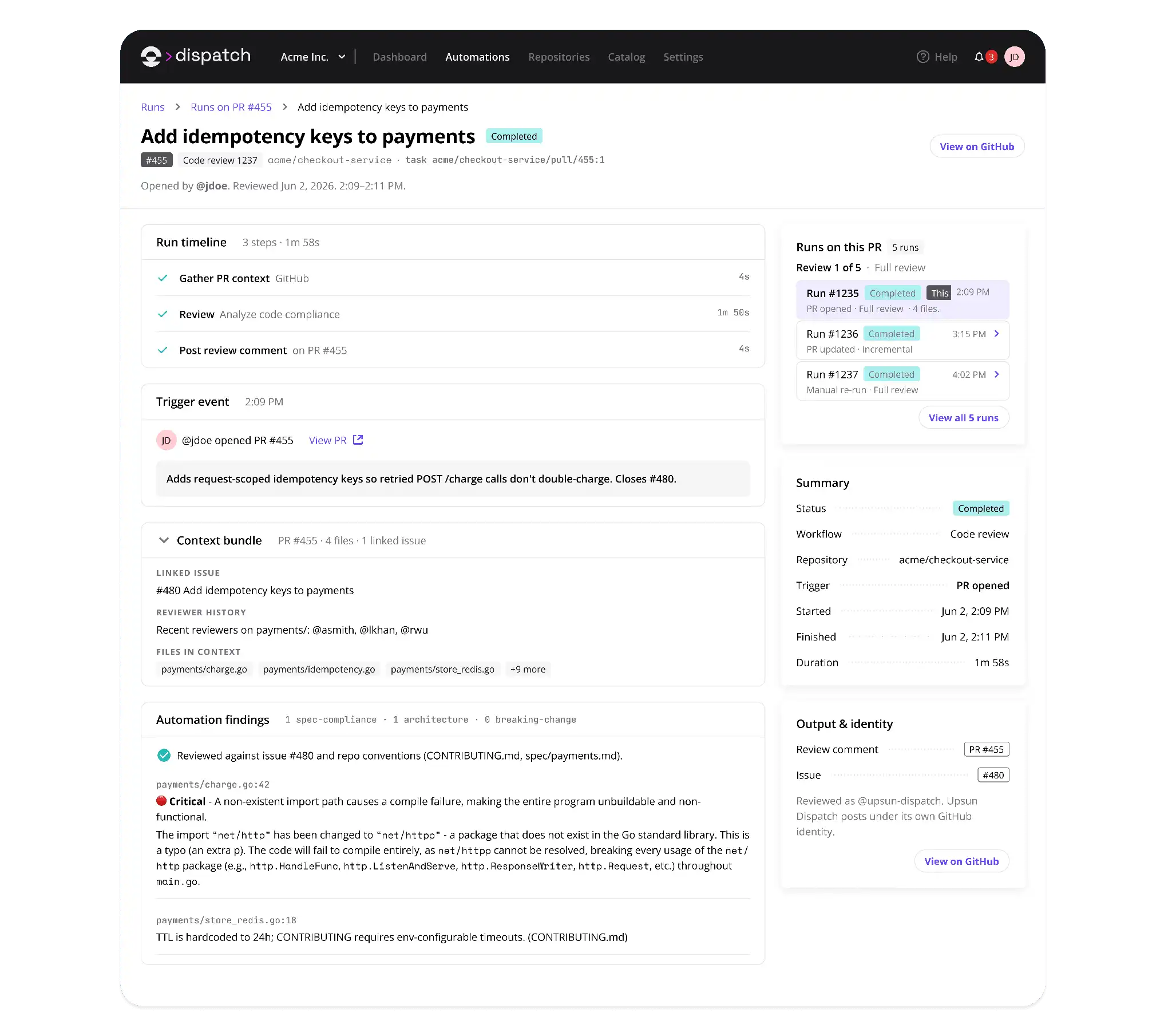

That is what makes it useful. The review points to the exact line where the bug is, states its severity and details, so you are not left triaging vague feedback or guessing what it means.
What just happened and why it’s the real story
While writing code stopped being the hard part, the work around it did not. In this example, a subtle problem was caught automatically, in minutes, following a pull request. This is the kind of bug that passes a human skim and quietly ships, but Upsun Dispatch caught it, and it’ll catch future issues without anyone remembering to ask.
The bottleneck has moved. AI helped your engineers write more code; it did not help your team ship more product. What’s left is the reviewing, the judging, the deciding whether a change is actually correct. And that is exactly the work that does not scale when your team is busy, tired, or short on reviewers. A regression slips through and erodes trust in the product, one small defect at a time.
This is the part Upsun Dispatch is built for. Code review isn't bolted on; it's one workflow on a platform built around workflows, not agents. Agents come and go.
What lasts is the sequence of steps your team runs to ship safely. That's what Dispatch gives you: review as a step in the workflow you already use, in a sandbox that touches nothing it shouldn't, with the full run logged and a human owning the merge.
None of it takes control away from you. You choose the model; you keep your repository and tools. Autonomy is earned one workflow at a time, not switched on, and the merge stays human until you say otherwise. Dispatch fits how your team already works, not the other way around.
Got a pull request? Run your workflow on Upsun Dispatch
Deploy possibility.
Try Upsun for free.
Stay updated
Upsun Cloud: compliant and validated