


TL;DR
|
Why AI spend needs a ceiling
Key takeaway: when the cost of each run varies, the safest thing to fix in advance is the total available to spend.
AI agent costs move from run to run. An agent retries, its context grows, or it reads more of the codebase than the task seemed to need, and the same workflow costs ten times more than it did yesterday. We covered why in $0.50 yesterday, $5 today.
Per-workflow costs are heading up too. Gartner predicts that AI inference costs per agentic workflow will rise more than fivefold through 2028, even as the price of individual tokens falls. Gartner's advice there is aimed at companies building AI products, but the trend applies to anyone paying for agent work: cheaper tokens encourage bigger, more complex workflows.
With an open-ended bill, a bad month only becomes visible once it's over. Finance plans other usage-based spend around a budget it sets ahead of time, and AI agent spend can work the same way.
How a funded wallet works
Key takeaway: you decide how much to put toward agent time, and that amount is drawn down only as agents actually run.
In Upsun Dispatch, agent time comes out of credit you buy in advance. You top it up whenever you like, by hand or with automatic top-ups [pending Anita], in USD, CAD, GBP, EUR or AUD, and it's drawn down only while agents are working. Model tokens are separate: you use your own Anthropic or OpenAI key, and your provider bills you directly, with no markup from Upsun.

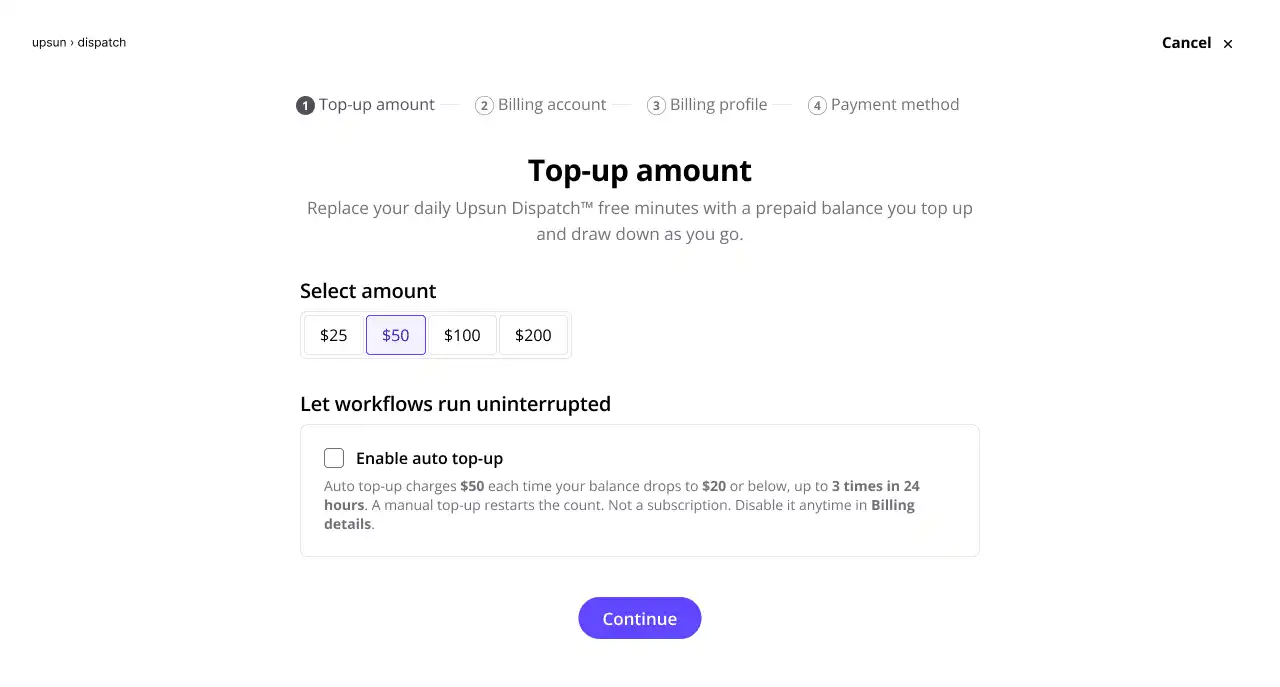
Agent time is metered as it happens, so the balance reflects what's been used so far. Token usage is tracked too: each run shows an estimate of its token cost, so both sides of the bill are tied to the run that spent them. You get a notification before the balance runs low, which gives whoever manages the budget time to decide whether to top up or look at what's been spending.

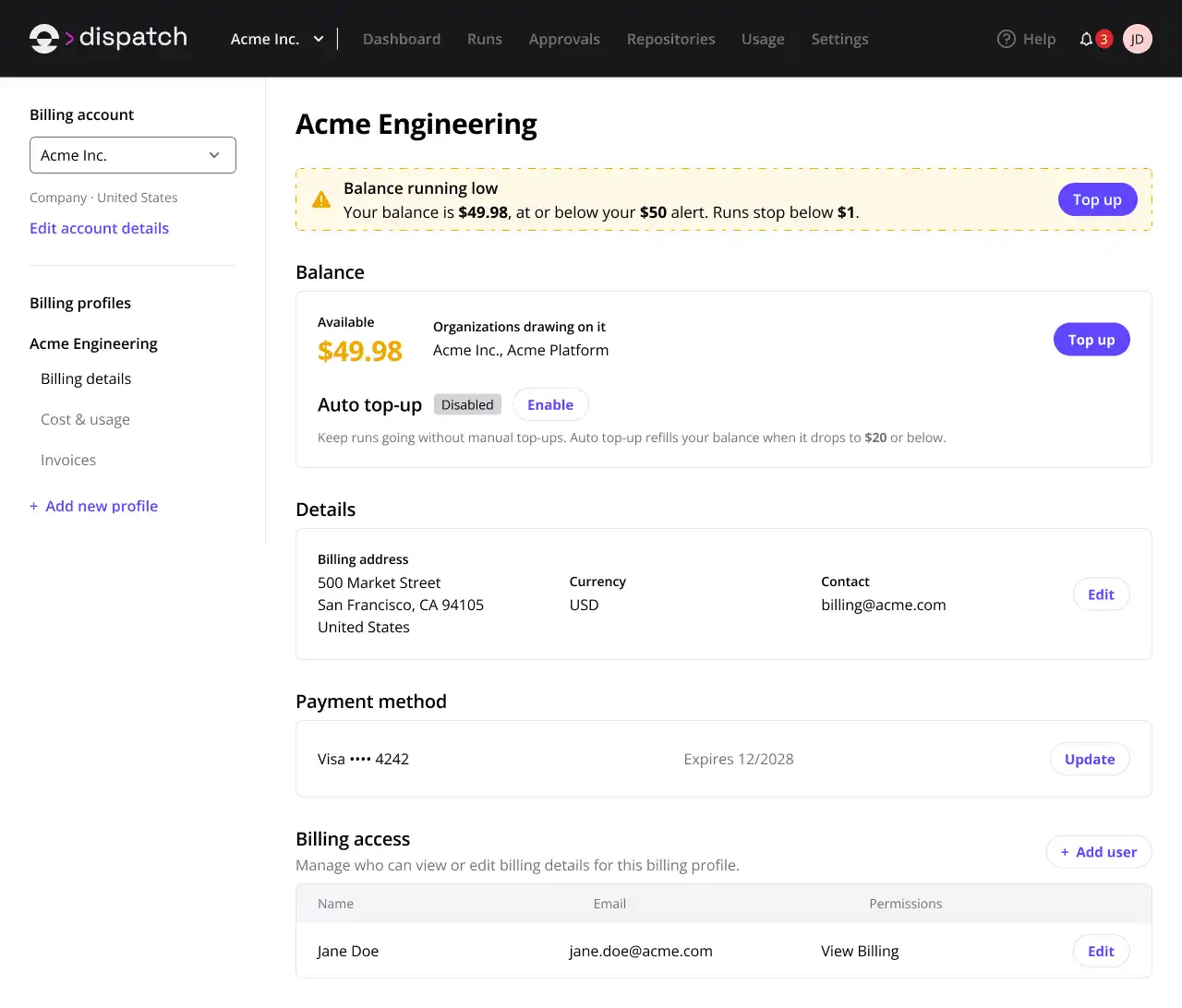


Finance gets an agent-time figure it approved before the period started, and engineering gets a straight answer to "how much agent time can we use this month?"
What happens when the balance runs out
Key takeaway: an empty wallet stops new work from starting, and work already under way is allowed to finish.
When the balance reaches zero, no new runs start until the credit is topped up, so no new token spend starts either. A run that's already in progress carries on to the end.
That means the balance can dip slightly below zero while those last runs finish. The next top-up settles the difference.
The flip side is that the wallet doesn't cut off a single expensive run partway through. You can, though. Each run has its own view that shows what it has cost, and you can cancel it from there or from wherever the workflow started: GitHub, GitLab, Linear or Jira. Billing stops as soon as the run is cancelled.

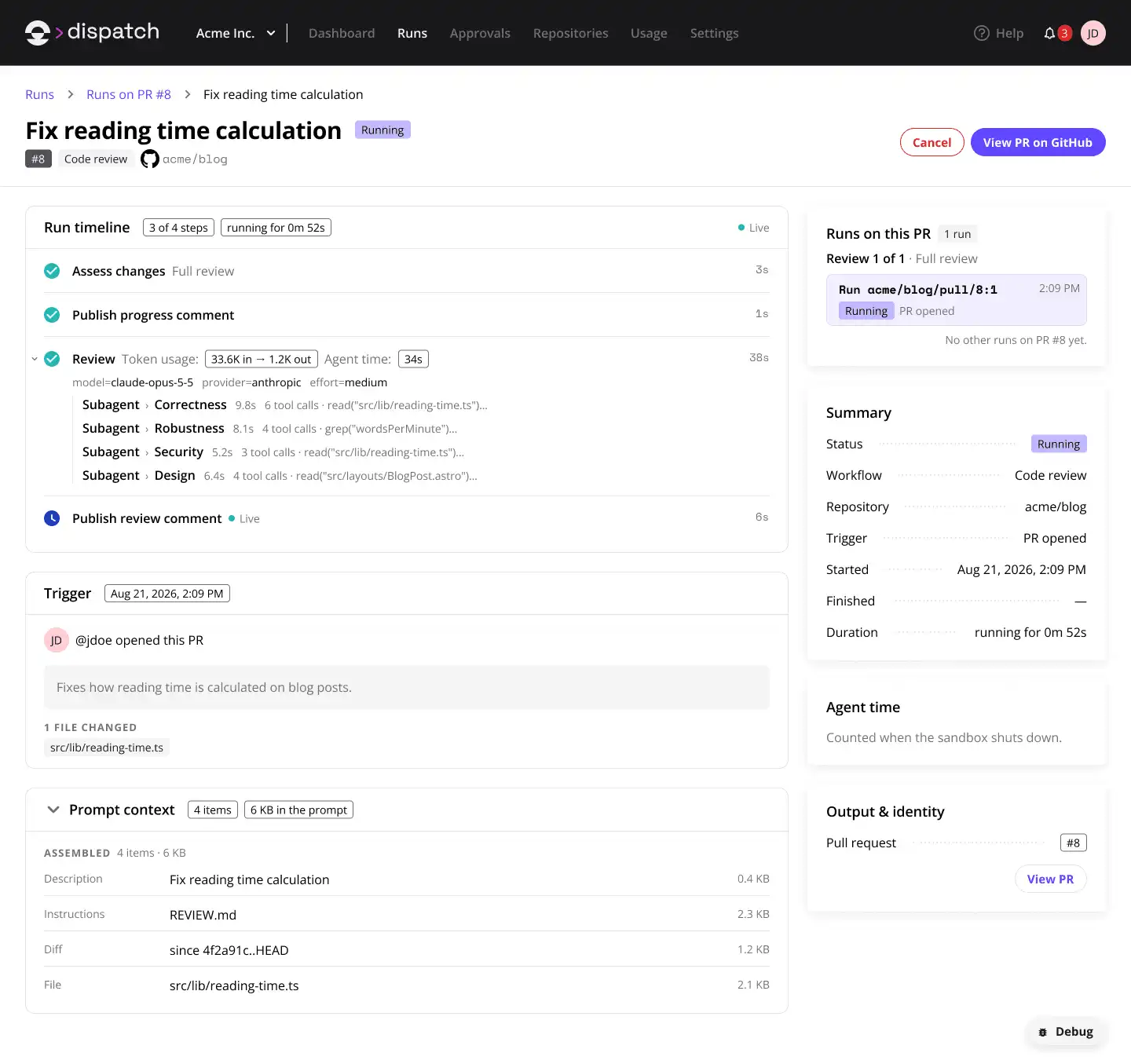
Cancelling deals with the run in front of you. Fixing the cause usually happens at the workflow level, with tighter instructions or a different model, which we cover in our guide to putting a number on AI spend.
What you're not paying for
Key takeaway: agent time is only billed while a sandbox is running, so time spent waiting for a human approval doesn't use agent time.
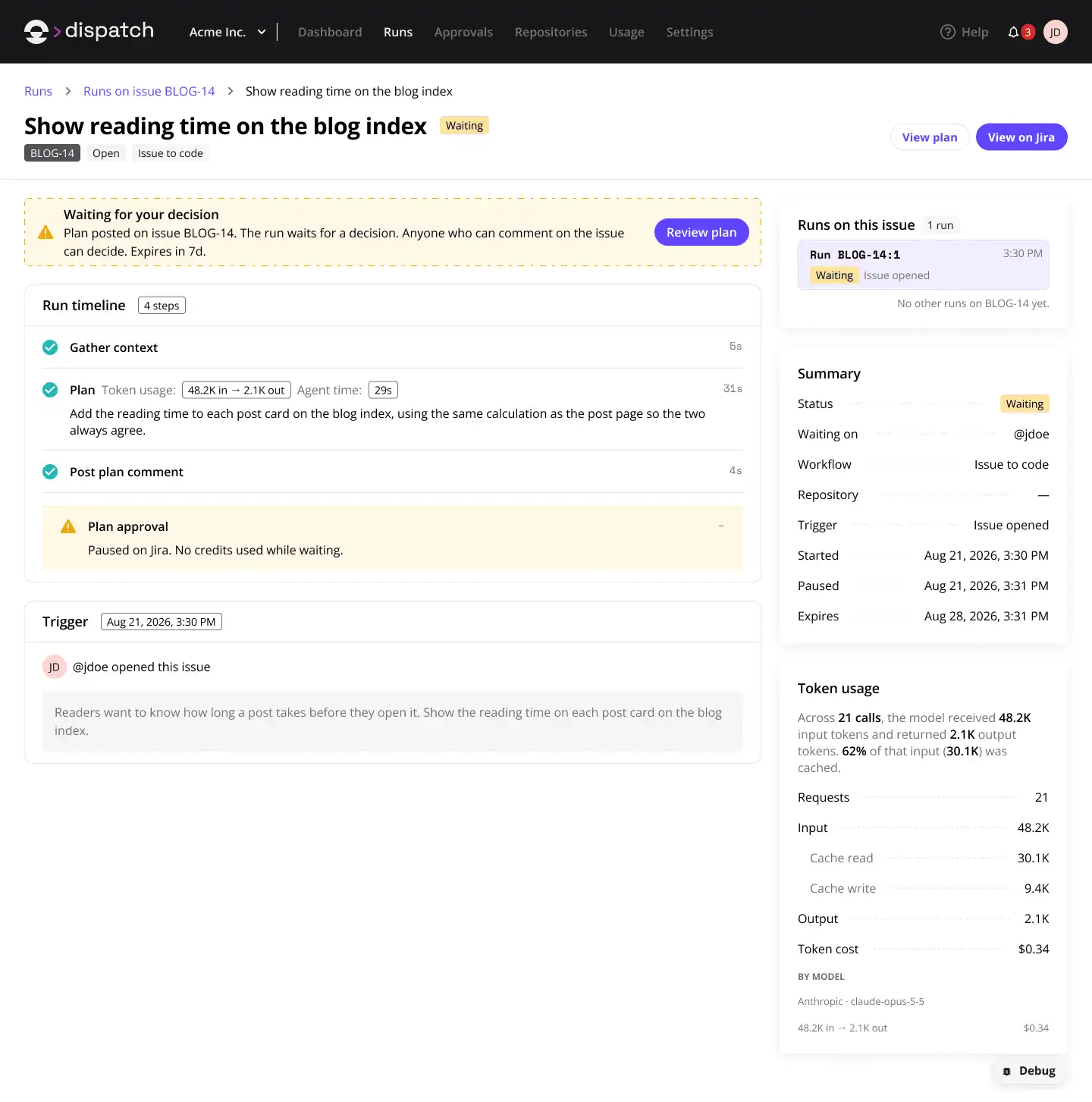
Some workflows pause for a person to approve the next step before the agent carries on, such as a reviewer signing off on a change before it goes further. In Upsun Dispatch, these pauses are called approval gates.
While a run waits at a gate, its sandbox (the isolated environment the agent works in) is shut down. A new one starts once the run is approved. Billing for agent time stops with the sandbox, so a reviewer who takes all afternoon to approve doesn't add agent time to the bill.

Setting your ceiling
Key takeaway: size the wallet from what your workflows actually cost, then use the low-balance notification as a checkpoint.
- Start on the free plan, which includes 20 agent-minutes a day shared across your team, and run a few real workflows so you have actual cost per run to work from.
- Estimate the month by multiplying each workflow's agent-time cost per run by the number of runs you expect, then add headroom for the runs that cost more than average. Do the same with each run's token estimate to budget for your AI provider's bill.
- Fund that amount, and agree who tops up the wallet and when.
- When the low-balance notification arrives, check what's been spending before you top up. A workflow that's suddenly using more than usual is easier to deal with early in the month.
- Keep an eye on live cost for runs well above a workflow's usual range, and cancel any that are clearly going nowhere.
Bear in mind that the cap covers agent time only, and applies to your credit as a whole. Upsun Dispatch breaks spend down by workflow and model, and you can give each team its own organization to track its spend separately, but team budgets aren't enforced as separate caps.
Try it with your own workflows. Start a workspace and run a workflow
Frequently asked questions (FAQ)
What happens to a running agent when the wallet runs out?
It finishes. When the balance reaches zero, no new runs start until you top up, but runs already in progress carry on to the end. The balance can dip slightly below zero as a result, and the next top-up settles it.
Can I stop a run that's costing too much?
Yes. You can cancel a run from the run itself, where you can also see what it has cost, or from wherever the workflow started: GitHub, GitLab, Linear or Jira. Billing stops as soon as the run is cancelled.
Am I charged while a run waits for approval?
Not for agent time. While a run waits at a gate, its sandbox is shut down, and agent time is only billed while a sandbox is running. A new sandbox starts once the run is approved.
Can I set a separate budget for each team?
Not as a separate cap. Agent time is capped by your credit as a whole. You can give each team its own Dispatch organization so its spend is tracked separately, but organizations sharing a billing profile draw on the same balance, so team budgets are tracked rather than enforced.
Which currencies can I fund the wallet in?
USD, CAD, GBP, EUR and AUD. Your credit and agent time are shown in your billing profile's currency. Token cost estimates are always shown in US dollars.
Can I try Upsun Dispatch before funding a wallet?
Yes. The free plan includes 20 agent-minutes a day, shared across your team, with no credit card and no deadline, so you can see what your workflows cost before you scale up.
Deploy possibility.
Try Upsun for free.
Stay updated
Upsun Cloud: compliant and validated